Write a story, approve reference sheets for your characters, places and props, and Qamba Studio holds every shot to them, from the first storyboard panel to the final cut. Plan, generate and edit in one desktop app.
Recorded in Qamba Studio with a real project · Qamba Labs ↗
From premise to final cut, in four steps.
Every image on this page comes from one real project, Rei, episode 3.
01
Build the story bible
Describe your premise, or bring a script. Every character, location and prop gets reference sheets you approve once and reuse in every shot.
02
Plan it as a storyboard
AI roles for story, dialogue, continuity and camera turn scenes into shots. Review panels and framing before you spend a second of render time.
03
Generate, review, retake
Render on your own GPU or a supported hosted model. Keep the takes that work and redo only the shot that doesn’t.
04
Edit and export the episode
Trim, arrange and mix picture, dialogue and music on a real timeline, then export a film instead of a folder of clips.
Consistency you can check, shot by shot.
Four consecutive storyboard panels from one scene. Pick a shot to see which bible references it was given.
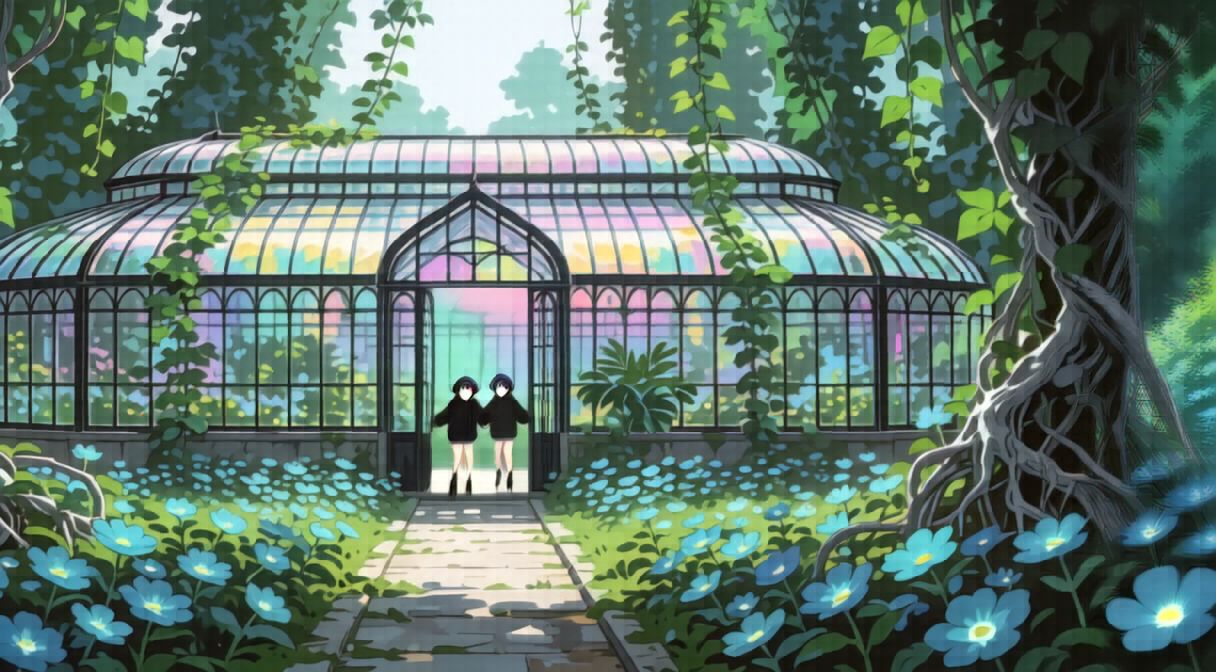
SHOT 1 OF 4EYE LEVEL · SLOW PULL-OUT
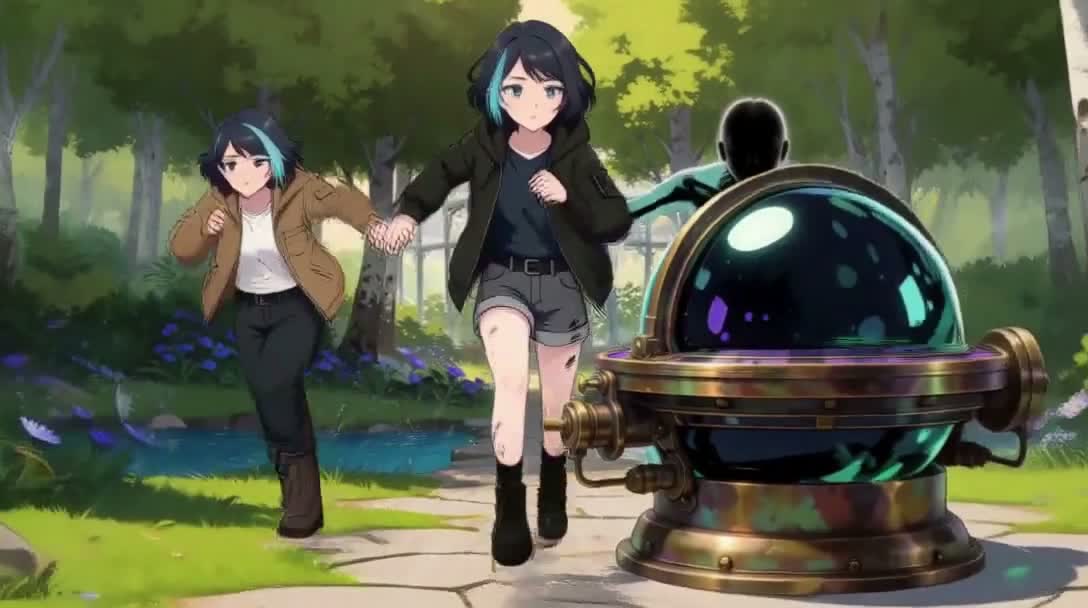
Wide establishing
Rei and Guide Rei stumble through the reflection and land together on the wet silver-root path inside the arched glass entrance.
Staged for this shot
Glass House · master plateThe entrance, the path and the cyan flowers. The plate sets the place; the shot sets the camera.
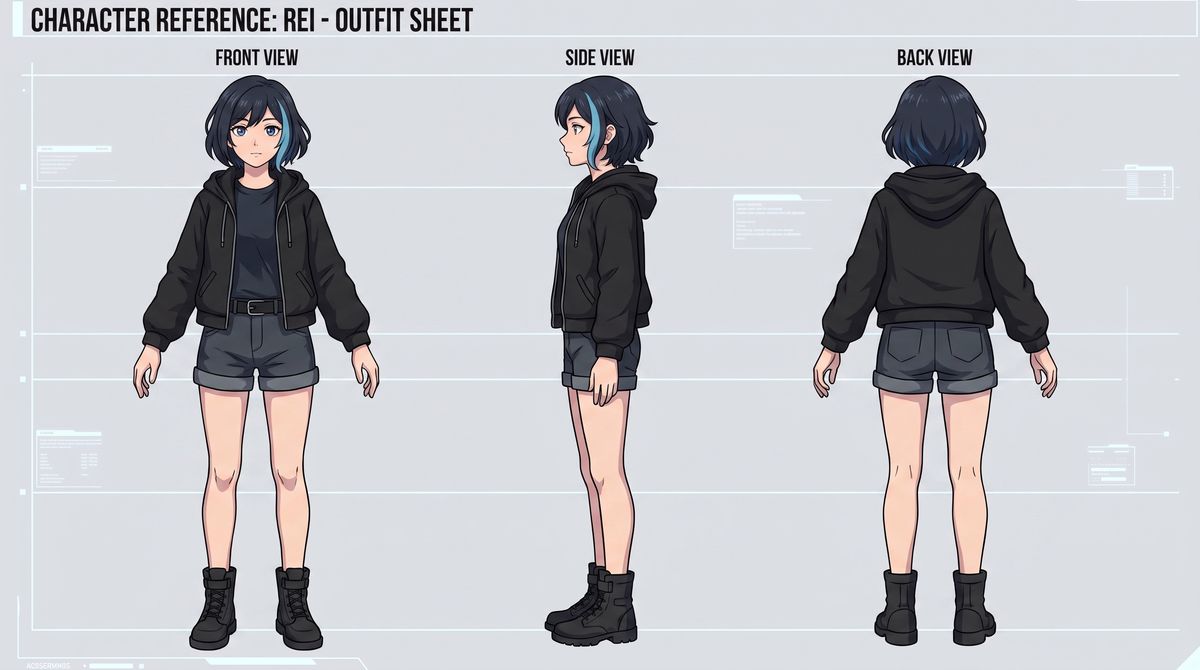
Rei · outfit sheetHer silhouette and wardrobe at distance. On a wide, the location leads and one face rides along.
Opening shotNothing before it. The fixed references set the people and the place.
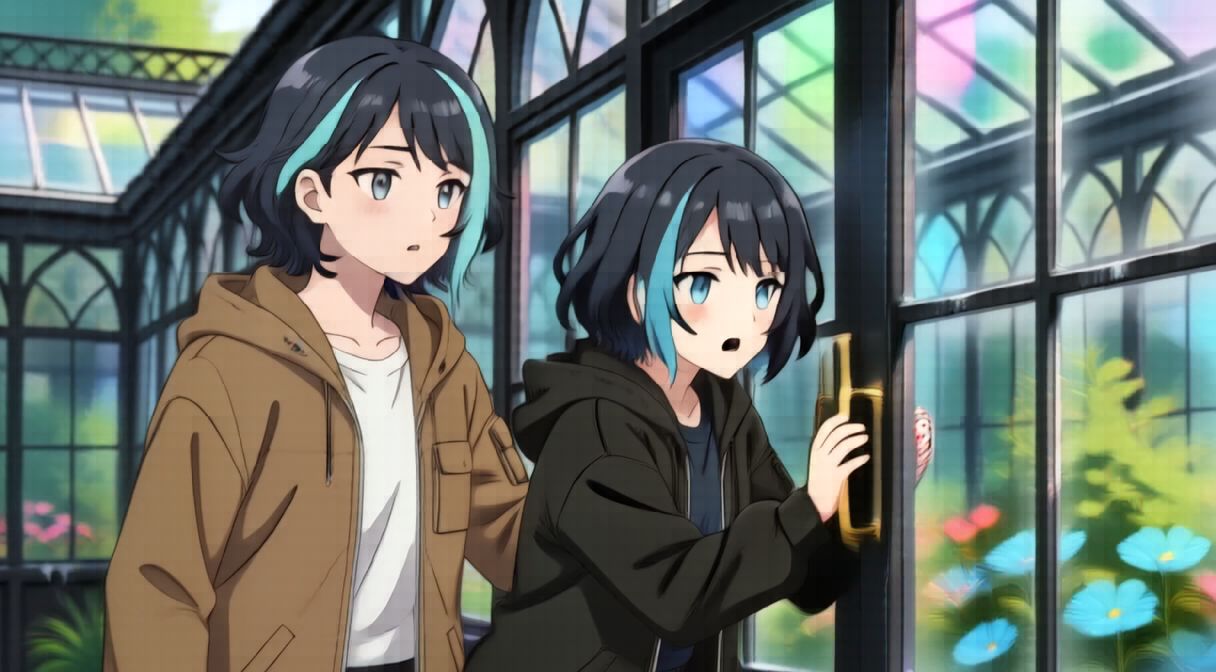
SHOT 2 OF 4EYE LEVEL · TRUCK RIGHT
Medium close-up
Rei catches herself against the black glass frame, breathing hard. Guide Rei keeps one arm between Rei and the flowers.
Staged for this shot
Rei · outfit sheetBlack hoodie, blue front streak, blue-grey eyes.
Guide Rei · turnaround sheetBrown hooded jacket, teal streak: two people, two silhouettes.
Glass House · reverse angleThe same frames and panes, seen from the opposite side.
Previous panelShot 1 is reviewed beside this one for wardrobe, positions and screen direction. It is not an input: panels render from the fixed references, not from each other.
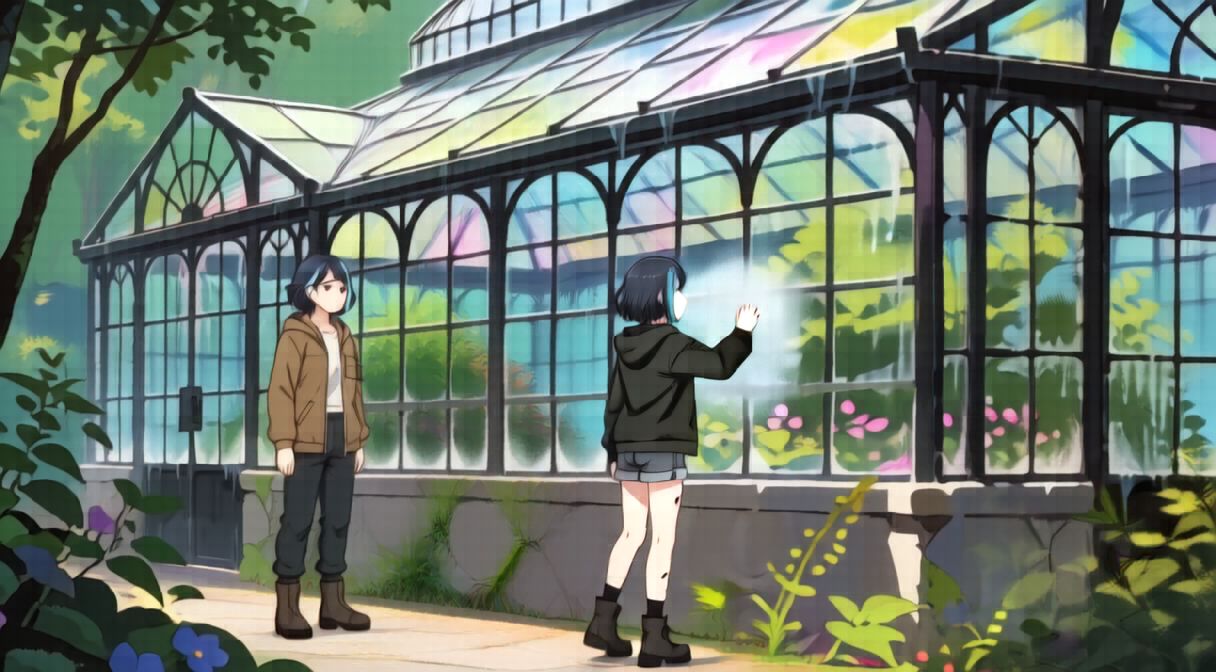
SHOT 3 OF 4ALONG THE CENTRAL PATH · SLOW TRACK RIGHT
High-angle tracking shot
Rei walks east to the fogged pane and raises one hand to the condensation. Guide Rei stays several metres west, watching the distance.
Staged for this shot
Rei · outfit sheetWardrobe holds at a new angle and a new distance.
Guide Rei · turnaround sheetThe jacket and boots read even from behind.
Glass House · atmosphere plateThe house in its own daylight, without fixing the camera.
Previous panelShot 2 is reviewed beside this one for wardrobe, positions and screen direction. It is not an input: panels render from the fixed references, not from each other.
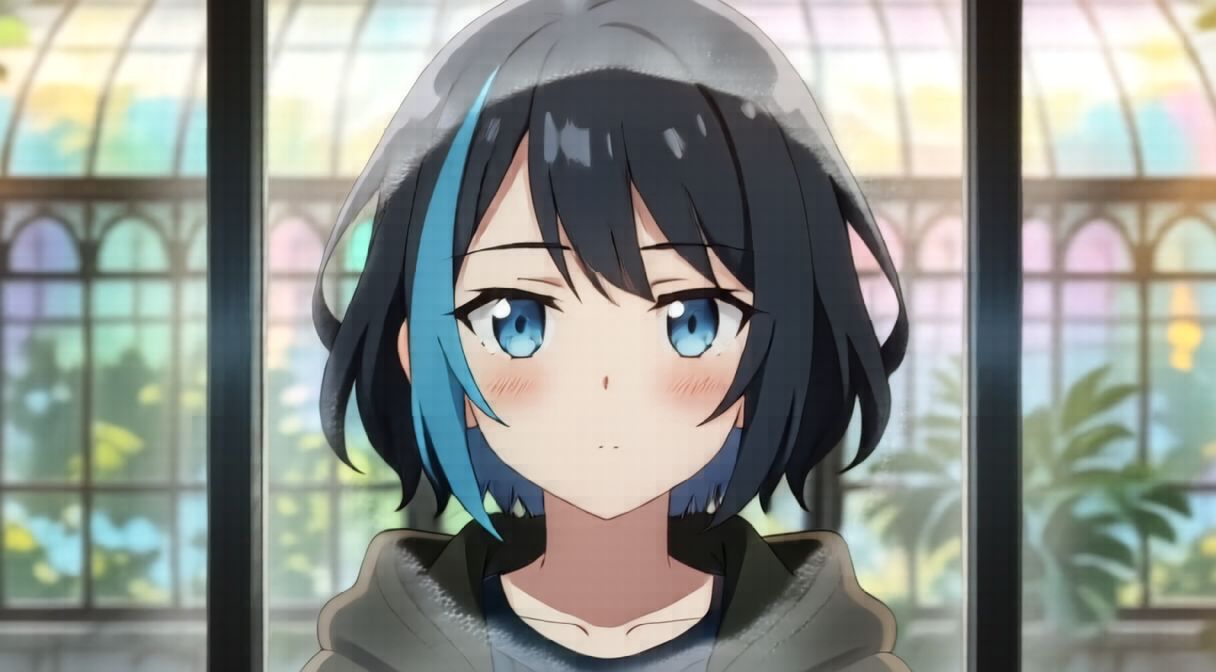
SHOT 4 OF 4EYE LEVEL · SLOW PUSH-IN
Extreme close-up
Rei wipes a clear oval through the condensation. The pane shows the observatory hideout, and Rei meets the reflected gaze.
Staged for this shot
Rei · outfit sheetThe face, the streak and the eyes carry the whole frame.
Glass House · detail plateColour and dressing from the glass house, kept in the background.
Previous panelShot 3 is reviewed beside this one for wardrobe, positions and screen direction. It is not an input: panels render from the fixed references, not from each other.
References per shot are read from each panel’s stored prompt. Panels rendered on MiniMax H3 image (turbo), resized for the web, otherwise unretouched.
Free on your hardware. Credits when you want the cloud.
Studio Cloud runs hosted models on Qamba’s GPUs. Every cloud job shows its credit cost before it runs.
Free
$0
The full studio on your own GPU
Unlimited local generation, no Qamba fees
Story bible, storyboard, AI director and timeline
Export up to 1080p, H.264
Each month in Studio Cloud: 2 storyboard plans and 30 Director calls
One-off top-ups that never expire. No subscription needed.
1,000$10≈ 5 min
2,500$25≈ 12 min
5,000$50≈ 25 min
10,000$100≈ 50 min
25,000$250≈ 125 min
Opens at launch
USD. Video minutes assume H3 PDD at the current Studio Cloud rate of about 200 credits per minute of rendered video; other models cost more or less, and retakes count. Cloud purchases aren’t open yet, so there is nothing to buy on this page. Monthly credits reset each billing period; packs don’t expire. Work on your own GPU or your own provider key doesn’t use Qamba credits. How credits work.
What a month buys, compared
Entry paid plans, billed monthly, with the video each plan’s credits buy. Checked 11 Oct 2026.
Estimated video minutes per month and monthly fee for each entry paid plan, checked 11 October 2026. Qamba local generation has no Qamba limit; it runs on your own hardware.
Plan
Video / month est.
Monthly fee
QambaLocal open-source edition
Unlimitedon your own GPU
$0/mo
Standard · 625 credits
≈ 1–2 min52–104 s
$15/mo
HiggsfieldStarter · 270 credits
≈ 1–2 min720p
$19/mo
Plus · 10,000 credits
≈ 3–8 min720p
$30/mo
Video estimates use each provider’s own published rates: Runway states 625 credits = 52 s of Gen-4.5 or 104 s of Gen-4 Turbo; Higgsfield, 270 credits at its Seedance 2.0 / 2.0 Fast 720p rates; Luma, 10,000 credits at its Seedance 2.0 / Ray3.14 720p rates. Higher resolutions, audio and retakes use more. Qamba local has no Qamba quota; your GPU sets the speed. Hosted plans include compute while local runs on yours. Sources: Runway, Higgsfield, Luma. Marks identify each service; no affiliation is implied.
Direct it from the AI you already use.
At launch, MCP support lets these assistants read your story bible, plan shots, and quote and queue renders you approve.
ChatGPTOpenAI
ClaudeAnthropic
GeminiGoogle
MuseMeta AI
GrokxAI
CursorAnysphere
ChatGPTOpenAI
ClaudeAnthropic
GeminiGoogle
MuseMeta AI
GrokxAI
CursorAnysphere
Coming with the full launch. Names and logos identify each assistant; they don’t imply partnership or endorsement.
Get Qamba Studio on your machine.
The desktop app runs generation on your own GPU for free. The web studio opens straight away.
Yes. The Free plan generates on your own GPU with no Qamba fees. Pro adds finishing passes, the audio effects rack, 4K and ProRes export, sharing, and production QA on Studio Cloud renders. The open-source edition (AGPL-3.0) is free too. You pay for your hardware and power, and model licences still apply.
What hardware do I need?
It depends on the model. Image models run on modest GPUs; large video models need much more memory. See the requirements.
Are the “AI director” roles people?
No. They are AI roles for writing, dialogue, continuity and camera. You review their work and make the calls.
Can I use what I make commercially?
Check the licence of every model, provider and asset you use. A free app or a paid plan doesn’t grant rights to third-party material.
When can I buy cloud credits?
At launch. Until then, the local edition is fully usable without an account or payment.

 Standard · 625 credits
 Plus · 10,000 credits


